

Last week, I wrote about the importance of selecting an email address that will appropriately convey professionalism and good business sense.
But what about how you use that email account?
More and more, evidentiary battles in courtrooms around the world are focused upon electronic data, with email transmissions frequently at the center of the debate. Today, business is routinely conducted at every level of every organization via email. We are all perpetually connected to our professional lives via our Blackberries and laptops. We are all proficient typists, even though many of us type using no more than two fingers at any given time: Index fingers when a keyboard is available, thumbs to transmit messages using our Blackberry.
And with the speed at which information is transmitted comes the potential for catastrophic errors.
Five of the most common pitfalls that we all must avoid include the following.
“Reply all”
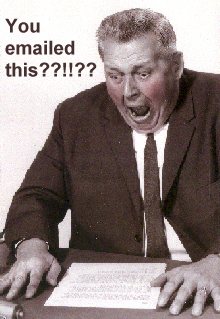 Have you ever hit “reply all” when you really wanted to click on “reply”? Embarrassing and/or harmful situations can easily be avoided if the sender takes the time to double-check whether he/she is responding only to the composer of the message to which he/she is responding. Many relationships have been harmed — some irreparably — because an email recipient responded with unkind, unflattering or even malicious comments about one of the persons included on the distribution list. Worse, confidential or privileged information, including trade secrets, have accidentally been leaked in this manner, leading to liability. It only takes a moment to review the distribution list, but that moment can make all the difference.
“Reply all” including blind recipients
If the original sender of an email blind copied some of the recipients, anyone who responds by clicking “reply all” may also transmit his/her comments to those blind recipients. The potential for catastrophe cannot be understated, especially if blind copies are transmitted to clients, customers, competitors or others who should not be privvy to the response.
Auto email address completion
I once received an email via my business account that consisted solely of religious proselytizing. When I checked the identity of the sender, I was shocked to see the name of a colleague I barely knew and with whom I had interacted only in the most tangential fashion. So I picked up the telephone and called him. Consistent with my perception about our relationship, I had to tell him my name a couple of times and remind him about the circumstances under which we met. When he finally remembered me, I asked him why he had just sent me an email containing religious propaganda, even though he had absolutely no clue about my beliefs. He insisted that he had not sent me an email, so I began reading its contents to him. That’s when I heard the familiar gasp that we all recognize as the “uh oh” sound. He had intended to send the email to someone whose name began with J-a-n . . . but in his haste, clicked on my name, stored in his email program from one prior usage, in error. He was justifiably mortified, but learned, I’m sure, a valuable lesson about the necessity of using the auto fill-in feature of Outlook or any other email software judiciously and responsibly.
“Send” in haste
The last time I was given a typing test was, of course, many years ago. But I remember the proctor’s response: “I’ve never had anybody score as highly as you.” The score? 153 words per minute on an IBM Selectric. I never had to work at building up my typing speed, however, because I was a pianist long before I became a typist.
These days, my speed is neither unique nor particularly impressive. We all spend so much time using our computers that most people type as fast as if not faster than I do. And therein lies the danger.
We have all been guilty of typing fast and furious responses to email messages, only to regret hitting “send” the very second we do so. Such behavior in a professional setting, however, can have particularly devastating consequences, especially if, for instance, your response was addressed to your supervisor or manager or, worse, a client or customer.
Questionable content
It only takes a moment to stop and think about the content of any email message you have just composed to assure that the content is acceptable and appropriate for the circumstances. This is particularly true if the email contains any form of joke, teasing, double entendre or other material that might be perceived as unwelcome by the recipient(s).
If you have reason to wonder for even a millisecond whether the content of your message might upset or offend the recipient, the best course is to hit “delete” and not transmit it. “Better safe than sorry” is always the right approach, especially in a professional or business context.
I periodically receive jokes, gags, humorous stories, videos, etc. in email but I never pass them on using my professional account. If I receive something that I want to share with friends or family, I forward the email to my personal account and then delete it. I do not reply or forward the email to other recipients using my professional account. Moreover, once it is received in my personal “in” box, I copy and paste the material into a new email that I send on to friends and/or family to be sure that all metadata is removed.
Email has made our lives easier in many respects: We convey vast amounts of information quickly, efficiently and almost effortlessly. However, the misuse of email also has the concomitant potential to ruin reputations, careers, and relationships.
Do you have experience with these or related issues? Leave a comment!

15 Comments
I guard my professional email account jealously. I usually reply with a note to tell friends to email jokes and humorous stories to my personal email instead.
The size of these emails usually are huge compared to any other email and they slow down my Outlook a lot.
I have always been guilty with “send in haste” phenomenon although I can never type as fast as you can. Great post.
All of these recommendations are very important to pay close attention to.
Words are very powerful, so we must always take the necessary time to ensure our intended message is actually the message the reader receives.
Emails or text messages can oftentimes become a catalyst for disagreements because the message being conveyed was not skillfully written in order to avoid confusion and misunderstandings.
Lin’s last blog post..Keeping the Fire Alive in Your Marriage
An older version of Microsoft Outlook 3.0 there’s the ability to recall an e-mail that you sent if the person you sent it to didn’t open it yet. Here’s a link with more information:http://office.microsoft.com/en-us/outlook/HA010917601033.aspx?pid=CL100626971033I don’t know if the newer versions of Microsoft have this feature or not. I know Microsoft Outlook Express doesn’t. I have MSN for my e-mail and it doesn’t have this feature either. When I used this older version it was a very helpful tool especially if you sent out e-mails and forgot to add the attachment.Good post and information. Courtesy always comes first.Pat R’s last blog post..Keeping the Faith
Pat: Yes, I’m familiar with that feature and it is still included in the latest version of Outlook.
The problem is that it very rarely works. What you end up getting is the original message, followed by a notice that the sender wants to recall it. Whenever that happens at the office, I always wonder what happened that made the sender want to recall it. Frequently, that second email is followed by the new version of whatever the original message was.
As the sender, virtually every time I have tried to use that feature, I’ve gotten back a message saying “recall failed.”
So I think it’s great in concept, but the execution is lousy.
JHS
When I was in the corporate world and used the recall feature in Outlook it worked well. It was a handy tool and I miss it in MSN. I don’t know why it doesn’t work for you. Maybe it depends on the version of Outlook and maybe it’s just not as functional as it used to be. I used it late 90’s early 2000.
Thanks for letting me know.
Pat R’s last blog post..Keeping the Faith
One great thing about my college e-mail account was that the campus system was set up to allow senders to delete every copy of the e-mail that existed in the campus e-mail system.
Kind of like the recall feature, but it was hidden away under the “Delete” options.
It saved me from a few hot-headed messages to friends.
Another advantage was that you could tell if someone had opened the message too. So you knew if it was pointless to recall or not.
As it is, I’ve gotten a lot better about that since a few instances where I had to delete messages in college. My biggest failing is not hitting “Reply All” where necessary. I think that’s a better habit to have than hitting it more often and sending out accidental messages inappropriately.
I have fallen foul to nearly all of those at one time or another in the not so distant past.
One of the worst has to be autocomplete. My boss and brother both share the name Paul, a recipe for all kinds of disaster.
Even with Outlook, the recall function will only work if the recipient hasn’t already read the mail, which could be too late.
Some great advice.
Pingback: PostOnFire.com
Pingback: bloggingzoom.com
Pingback: sk-rt.com
Excellent article! We should all keep in mind though, that email can not really be deleted. I work as a computer operator at a large university and know whereof I speak. We have often been ordered to retrieve email for the courts, sometimes going back as far as five years. In fact Canadian law requires us to keep two years as a matter of course. Those emails still exist either on disk or backup whether they show up in your inbox or not. Posts to forums and bulletin boards are even worse. They get cached by the search engines and become a permanent part of the net.
Glenn: Yes, you are right. And that’s why computer users need to be so prudent. Thanks for dropping by and confirming, from a technical standpoint, that the “shelf life” of computer content is literally infinite.
Thanks for the info Glenn. Presumably the mails are covered by all sorts of privacy legislation and it is only with a court order that you would retrieve/release them?
Don’t think googlemail has a reply all, nor does my domain email. So im ok!